Gaming Laptops Under $1,000
2 in stock · $495 to $950 · Ships across Canada from Edmonton
In stock under $1,000
See all
Closest to your budget first. Delivery and sales tax are added at checkout. Stock and prices checked 23 November 2026.
Gaming Laptops Under $1,000: the quick answer
Gaming laptops under $1,000 in Canada are almost always pre-owned, and at this price you'll usually see chips like the GTX 1650, RTX 3060 and RTX 4050 paired with a Core i7, Core i9 or Ryzen 5 processor. It suits students and casual to mid-level gamers who want a dedicated graphics card without paying for a new machine. Buying used is how this budget stretches to a stronger graphics card.
- Price range
- $495 to $9502 in stock
- Common processor
- Core i7-12700Hon 1 of 2
- Common graphics
- GTX 1650on 1 of 2
- Common memory
- 16GB DDR5on 1 of 2
- Common storage
- 1TB NVMe SSDon 1 of 2
Picked from today's stock
Chosen from the listings above, so they change as stock does.
Is $1,000 the right budget?
A budget of $1,000 sits in an awkward spot for new gaming laptops. New machines at this price usually come with entry-level graphics and a small drive. Go pre-owned and the same money often gets you a graphics card from a tier higher, which matters more for games than almost anything else on the spec sheet.
The trade-off is age and wear. Used laptops have a past, and gaming laptops tend to run hot and get carried around. So you're trading a fresh box for more hardware, and you need to check the details of the exact unit you're buying.
Compare all gaming laptops under $1,000
2 listings, closest to your budget first.
- Acer Nitro AN515-58 Core i7-12700H RTX 4050 16GB 1TB SSD 15.6" 144Hz$950Processor: Core i7-12700HGraphics: RTX 4050Memory: 16GB DDR5Storage: 1TB NVMe SSD
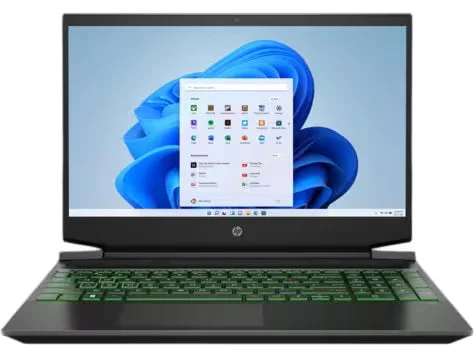
- HP Pavilion Gaming 15 Ryzen 5 5600H GTX 1650 8GB 512GB SSD 15.6" 60Hz$495Processor: Ryzen 5 5600HGraphics: GTX 1650Memory: 8GB DDR4Storage: 512GB NVMe SSD
Buying guide
What $1,000 gets you
Graphics is where this budget gets interesting. You'll usually see the GTX 1650 at the lower end, which is an older card suited to lighter and older titles, esports games and everyday use. The RTX 3060 and RTX 4050 sit a step above, and they're typically suited to modern games at sensible settings, plus things like video editing and 3D work for students.
On the processor side, expect names like the Ryzen 5 5600H, Core i7-12700H and Core i9-11900H. All three are plenty for gaming. We'd say the i7-12700H is the more modern pick of that group, while the i9-11900H is an older chip that sounds fancier than it is. Don't pay extra for a bigger number on the label alone.
Memory and storage are where corners get cut. You'll see both 8GB RAM and 16GB RAM, and 512GB SSD and 1TB SSD. We'd take 16GB RAM over a slightly faster chip every time, because modern games and a browser with a few tabs open will squeeze 8GB. Spending a bit less usually means older graphics or less memory and storage. Spending a bit more usually means a newer graphics generation, a better screen or more storage.
Specs to aim for under $1,000
- GraphicsRTX 3060 or RTX 4050 if you can
- These are a clear step up from the GTX 1650 for newer games, and the graphics card does most of the work in gaming.
- ProcessorCore i7-12700H or Ryzen 5 5600H
- Both are strong enough that the graphics card, not the processor, will be your limit at this budget.
- Memory16GB RAM
- 8GB RAM works for lighter games but gets tight quickly, and many laptops let you upgrade it later, so ask first.
- Storage1TB SSD if possible, 512GB SSD at minimum
- Modern games are big, and a 512GB SSD fills up after just a handful of titles.
- ScreenFull HD with a high refresh rate
- A smooth screen makes games feel better, and it's worth checking the listing for the panel type.
- Battery or BuildHonest photos of the chassis and hinges
- Used gaming laptops live on a desk plugged in, but cracked hinges and worn keys tell you how the unit was treated.
Who this budget suits
University students
You need something that handles coursework and weekend games. Look for 16GB RAM and an RTX 3060 or RTX 4050, which also helps with design and video projects.
Casual and esports gamers
If you mostly play older or competitive titles, a GTX 1650 model can be plenty. Put the savings toward 16GB RAM and a larger SSD instead.
Players moving up from console or an old laptop
Aim for an RTX 4050 or RTX 3060 with a Core i7-12700H or Ryzen 5 5600H. That combination is usually well suited to current games at sensible settings.
Beginner video editors and streamers
Memory and storage matter as much as graphics here. Choose 16GB RAM and a 1TB SSD, and treat the graphics card as the bonus.
How to choose between two similar listings
When two listings look alike, compare the graphics card first, then the memory. An RTX 4050 with 8GB RAM and an RTX 3060 with 16GB RAM is a real dilemma, and we'd usually lean toward the one with more memory unless it's a much older card, since RAM upgrades are cheap on many models.
After that, look at storage, screen and the condition photos. A larger SSD saves you from buying one later, and clean photos of the keyboard, hinges and ports beat a slightly newer chip. If anything's unclear, ask us for photos or a video of the exact unit.
Before you pay
- Check the graphics card model, not just the brand.
- Confirm how much RAM is installed and ask if it can be upgraded.
- Look at SSD size against the games you want to install.
- Read the condition notes and look at every photo.
- Ask for photos or a video of the exact unit.
- Check that the charger is included.
- Confirm the delivery address so GST or HST is right at checkout.
Watch out for
- Judging by the processor name alone. An older Core i9 isn't automatically better than a newer i7, so compare generations.
- Buying 8GB RAM without a plan. Check whether it can be upgraded, or choose 16GB RAM.
- Ignoring the SSD size. Fill a 512GB SSD quickly and you'll be deleting games.
- Skipping the condition photos. Worn hinges, dented corners and heavy key wear show how the laptop was used.
- Expecting delivery dates to be exact. Times are estimates, so don't buy for a deadline.
Compare budgets
How many gaming laptops each budget reaches today.
- Under $1,0002in stock, from $495
- Under $1,5008in stock, from $495
- Under $2,00014in stock, from $495
- Under $2,50016in stock, from $495
Buying from Elite Tech Hub
Every item at Elite Tech Hub is pre-owned, and we say so plainly. Orders ship from Edmonton, Alberta, with Canada Post to every province and territory, and the delivery charge at checkout covers Canada Post Regular Parcel. Faster services cost extra, and delivery times are estimates. You can ask for photos or a video of the exact unit before it ships, which is the best way to check the one you're buying. GST or HST is calculated at checkout from your delivery address, and pickup in Edmonton is possible when arranged in advance, though there are no walk-in hours.
Gaming Laptops Under $1,000: your questions
Can you get a good gaming laptop for $1,000 in Canada?
Yes, especially pre-owned. At this price you'll usually see RTX 3060 or RTX 4050 graphics, which are typically suited to modern games at sensible settings. New laptops at this budget generally come with weaker graphics.
Is a used gaming laptop worth it?
It can be, if you check the details. Used gets you more graphics power for the money, but you should look at the condition photos and ask for photos or a video of the exact unit.
Is the RTX 4050 better than the RTX 3060?
They're close, and the better one depends on the specific laptop. The RTX 4050 is a newer generation, while the RTX 3060 can be a stronger card in some builds. Compare the memory, cooling and screen too.
Is 8GB RAM enough for gaming?
It works for lighter and older games, but it's tight for modern titles with other apps open. We'd choose 16GB RAM where you can, or check that the laptop's memory can be upgraded.
Is a GTX 1650 still okay for gaming?
It's an older card that's usually fine for esports and lighter games. For newer, demanding titles, an RTX 3060 or RTX 4050 is the safer choice.
Do I need a 1TB SSD?
A 512GB SSD works if you only keep a few games installed. A 1TB SSD is more comfortable, since big games and your files add up quickly.
Do you ship gaming laptops across Canada?
Yes. Orders ship from Edmonton, Alberta, with Canada Post to every province and territory. Delivery times are estimates, and faster services cost extra.
Can I pick up a laptop in Edmonton?
Yes, pickup in Edmonton is possible when arranged in advance. There are no walk-in hours, so contact us first.