Gaming Laptops Under $1,500
8 in stock · $495 to $1,495 · Ships across Canada from Edmonton
In stock under $1,500
See all



Closest to your budget first. Delivery and sales tax are added at checkout. Stock and prices checked 23 November 2026.
Gaming Laptops Under $1,500: the quick answer
At $1,500 in Canada, pre-owned gaming laptops usually come with an RTX 3060 to RTX 4060 class graphics chip, an i7 processor and 16GB of RAM. That's a solid fit for students and players who want a proper dedicated GPU without paying new-laptop prices. The trade-off is that you're buying used, so condition matters as much as the spec sheet.
- Price range
- $495 to $1,4958 in stock
- Common processor
- Core i7-12700Hon 1 of 8
- Common graphics
- RTX 4060on 5 of 8
- Common memory
- 16GB DDR5on 5 of 8
- Common storage
- 1TB NVMe SSDon 4 of 8
Picked from today's stock
Chosen from the listings above, so they change as stock does.
Is $1,500 the right budget?
This budget is the sweet spot for a used gaming laptop. Buying pre-owned, $1,500 gets you into hardware that would cost noticeably more bought new: an i7 processor, a dedicated RTX graphics chip and usually enough memory to multitask without fuss. It suits students who game after class, people who want one machine for work and play, and anyone stepping up from an older laptop with integrated graphics.
The honest trade-off is that it's used. Batteries have some wear, fans may be dusty, and cosmetic marks are normal. You're also choosing between older flagship parts and newer mid-range ones, and the best pick isn't always the one with the biggest model number.
Compare all gaming laptops under $1,500
8 listings, closest to your budget first.
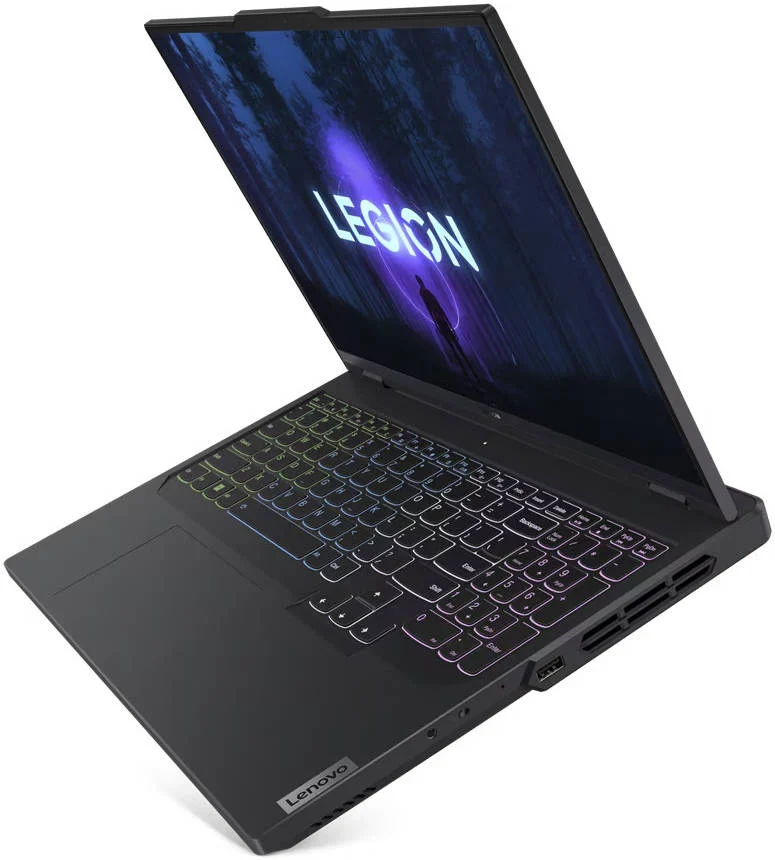
- Lenovo Legion Slim 5 16IRH8 Core i7-13700H RTX 4060 32GB 512GB SSD 16" 165Hz$1,495Processor: Core i7-13700HGraphics: RTX 4060Memory: 32GB DDR5Storage: 512GB NVMe SSD
- Lenovo Legion Pro 5 16IRX9 Core i7-14650HX RTX 4060 16GB 512GB SSD 16" 165Hz$1,350Processor: Core i7-14650HXGraphics: RTX 4060Memory: 16GB DDR5Storage: 512GB NVMe SSD
- Lenovo Legion Pro 5 16IRX8 Core i7-13700HX RTX 4060 16GB 1TB SSD 16" 165Hz$1,350Processor: Core i7-13700HXGraphics: RTX 4060Memory: 16GB DDR5Storage: 1TB NVMe SSD
- ASUS ROG Strix G614JV Core i7-13650HX RTX 4060 16GB 1TB SSD 16" 165Hz$1,250Processor: Core i7-13650HXGraphics: RTX 4060Memory: 16GB DDR5Storage: 1TB NVMe SSD
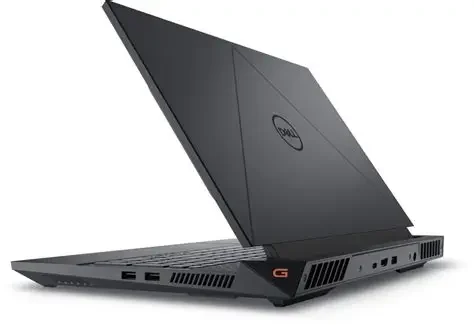
- Dell G15 5535 Ryzen 7 7840HS RTX 4060 16GB 512GB SSD 15.6" 165Hz$1,200Processor: Ryzen 7 7840HSGraphics: RTX 4060Memory: 16GB DDR5Storage: 512GB NVMe SSD
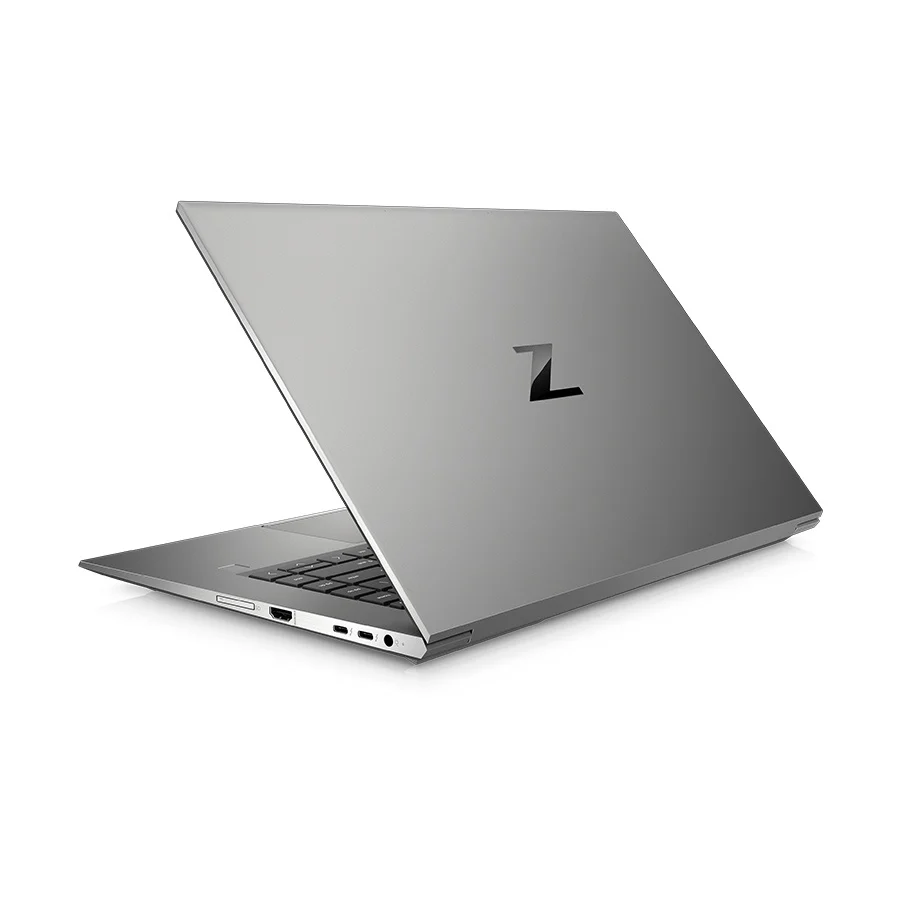
- HP ZBook Studio G8 15.6" Core i9-11950H RTX 3070 32GB 1TB SSD 60Hz$1,100Processor: Core i9-11950HGraphics: RTX 3070Memory: 32GB DDR4Storage: 1TB NVMe SSD
- Acer Nitro AN515-58 Core i7-12700H RTX 4050 16GB 1TB SSD 15.6" 144Hz$950Processor: Core i7-12700HGraphics: RTX 4050Memory: 16GB DDR5Storage: 1TB NVMe SSD
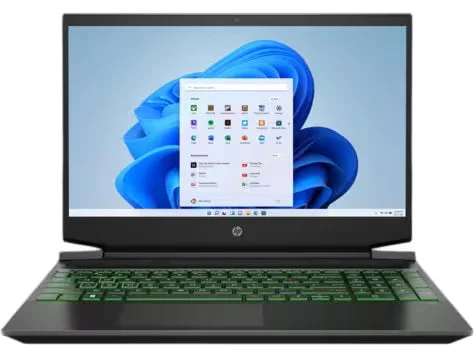
- HP Pavilion Gaming 15 Ryzen 5 5600H GTX 1650 8GB 512GB SSD 15.6" 60Hz$495Processor: Ryzen 5 5600HGraphics: GTX 1650Memory: 8GB DDR4Storage: 512GB NVMe SSD
Buying guide
What $1,500 gets you
At this price you'll usually see graphics in the RTX 3060, RTX 3070 and RTX 4060 range, with the odd GTX 1650 on the cheaper end. The RTX cards are the ones we'd point most people to, since they support ray tracing and DLSS upscaling. A GTX 1650 can still handle lighter and older titles, but it's a step down and we'd only consider it if the rest of the machine is a bargain.
Processors are typically Core i7 chips such as the i7-12700H, i7-13700H, i7-13650HX and i7-14650HX. The HX versions are built for higher sustained power, which helps in long sessions and heavier tasks like video editing. Memory is usually 16GB RAM, sometimes 32GB, and now and then 8GB. Storage is typically a 512GB SSD or 1TB SSD. We'd take 16GB and a bigger SSD over a slightly faster chip, because modern games fill drives quickly and run poorly when memory is tight.
Spending a bit less usually means older graphics, less memory or a smaller drive. Spending a bit more tends to bring a newer generation, a stronger version of the same GPU class or more RAM and storage. Look at what you're actually giving up before you stretch. Often a small step up is worth it, but not always.
Specs to aim for under $1,500
- ProcessorCore i7 H or HX series
- These are the higher-power chips that keep up with a dedicated GPU, while a lower-power chip can hold the graphics card back.
- GraphicsRTX 3060 or better
- The graphics chip does most of the work in games, so it's where we'd put the money first.
- Memory16GB RAM or more
- Eight gigabytes is tight for current games with a browser and chat app open, and 32GB is a nice extra for creative work.
- Storage1TB SSD if you can, 512GB at minimum
- Big games take up a lot of space, and a 512GB drive fills up fast once the system files are counted.
- ScreenFull HD panel with a higher refresh rate
- A smooth, fast panel makes games feel better, and check the listing for the exact screen details before you buy.
- Battery or BuildSolid hinges, clean vents, working keys
- Gaming laptops run hot and heavy, and a used one lives or dies by how well it has been looked after.
Who this budget suits
University students
You want one laptop for lectures, assignments and evening gaming. Pick an i7 with 16GB RAM and an RTX 3060 or newer, and prioritize a decent SSD so everything loads quickly.
Esports and competitive players
Responsiveness matters more than looks here. Aim for an RTX 4060 or RTX 3070 and a fast-refresh screen, since those are typically suited to popular competitive titles.
Creators who also game
Video editing and 3D work like extra memory and strong processors. Look for an HX chip with 32GB RAM and a 1TB SSD, which usually handles heavier projects better.
Casual and older-game players
If you mostly play lighter or older titles, a GTX 1650 model can be enough and may leave room in the budget. Just be aware it will age sooner than the RTX options.
How to choose between two similar listings
When two listings look alike, start with the graphics card, then memory, then storage. A newer generation RTX card with 16GB usually beats an older, higher-numbered card with 8GB RAM, because games don't wait on the chip alone. Check the processor suffix too: an H or HX chip is what you want for sustained play.
If the specs match, ask for photos or a video of each exact unit. Compare the keyboard wear, screen condition, hinges and vents. Choose the cleaner machine, even if it has a slightly smaller drive, since you can add storage later but can't undo a damaged hinge.
Before you pay
- Confirm the exact GPU model in the listing.
- Check the RAM and whether it can be upgraded.
- Look at the SSD size against the games you play.
- Ask for photos or a video of the exact unit.
- Inspect the screen, hinges and keyboard in the photos.
- Check that the charger and power rating match the laptop.
- Work out the delivery charge and tax at checkout.
Watch out for
- Judging by CPU alone. A strong processor with weak graphics won't game well. Check the GPU first.
- Settling for 8GB RAM. It works, but you'll feel it. Look for 16GB, or plan an upgrade.
- Ignoring condition. Used laptops vary. Ask for photos or a video before it ships.
- Buying a small SSD. 512GB goes quickly with a few big games. Pick 1TB where possible.
- Forgetting tax and delivery. GST or HST is added at checkout, so budget a little above the sticker price.
Compare budgets
How many gaming laptops each budget reaches today.
- Under $1,0002in stock, from $495
- Under $1,5008in stock, from $495
- Under $2,00014in stock, from $495
- Under $2,50016in stock, from $495
Buying from Elite Tech Hub
Every laptop we sell is pre-owned, and we say so plainly. Orders ship from Edmonton, Alberta, by Canada Post to every province and territory, and the delivery charge at checkout covers Canada Post Regular Parcel. Faster services cost extra, and delivery times are estimates. You can ask for photos or a video of the exact unit before it ships, so you see what you're getting. If you're near us, pickup in Edmonton can be arranged in advance, though there are no walk-in hours. GST or HST is calculated at checkout from your delivery address.
Gaming Laptops Under $1,500: your questions
What can I get in a gaming laptop under $1,500?
Used, you'll usually see RTX 3060, RTX 3070 or RTX 4060 class graphics, an i7 processor and 16GB RAM. Storage is typically a 512GB or 1TB SSD. It's a strong tier for the money.
Is a used gaming laptop worth it?
For most people at this budget, yes. You get higher-tier hardware than the same money buys new. The catch is condition, so ask for photos or a video of the exact unit.
Is an RTX 4060 better than an RTX 3070?
They're close in many situations, and which is better depends on the specific laptop. The RTX 4060 is newer and has more modern features, while the RTX 3070 can have more raw power in some models. Compare the rest of the machine too.
Is 16GB RAM enough for gaming?
Yes, 16GB is the sensible target for modern games with other apps open. 32GB helps with editing and heavy multitasking, while 8GB will feel limiting.
Is a GTX 1650 laptop still okay?
It can handle lighter and older games, but it lacks the RTX features and will age sooner. We'd only pick one if the price and condition are right and you don't play demanding titles.
Do you ship across Canada?
Yes. Orders ship from Edmonton, Alberta, with Canada Post to every province and territory. Delivery times are estimates, and faster services cost extra.
Can I see the laptop before it ships?
You can ask for photos or a video of the exact unit before it ships. Pickup in Edmonton is also possible if arranged in advance.
Is tax included in the price?
No. GST or HST is calculated at checkout based on your delivery address, so you'll see the full total before you pay.