Laptops Under $800
5 in stock · $325 to $750 · Ships across Canada from Edmonton
In stock under $800

Closest to your budget first. Delivery and sales tax are added at checkout. Stock and prices checked 23 November 2026.
Laptops Under $800: the quick answer
At $800 in Canada, a used laptop usually gets you a step up from basic office machines: a Ryzen 5 5600H or Core i7 class processor, 16GB of RAM and a 512GB SSD are common, and some listings carry a dedicated GTX 1650 or RTX 3060 graphics chip. It suits students, remote workers and casual gamers who want solid hardware without paying for a new machine.
- Price range
- $325 to $7505 in stock
- Common processor
- Core i7-1355Uon 1 of 5
- Common graphics
- GTX 1650on 1 of 5
- Common memory
- 16GB DDR4on 1 of 5
- Common storage
- 500GB NVMe SSDon 1 of 5
Picked from today's stock
Chosen from the listings above, so they change as stock does.
Is $800 the right budget?
This is the budget where used laptops get interesting. You're past the bare-minimum machines, and you can start choosing what matters to you: a gaming graphics chip, a quiet efficient processor for school and office work, or an Apple M2 for a light, long-lasting everyday laptop. Because everything we sell is pre-owned, your $800 reaches further than it would on a new shelf.
The honest trade-off is that you can't have everything at once. A laptop with a dedicated graphics chip is usually heavier and has shorter battery life than a thin one with an efficient processor. Decide which side you're on before you start comparing listings.
Compare all laptops under $800
5 listings, closest to your budget first.
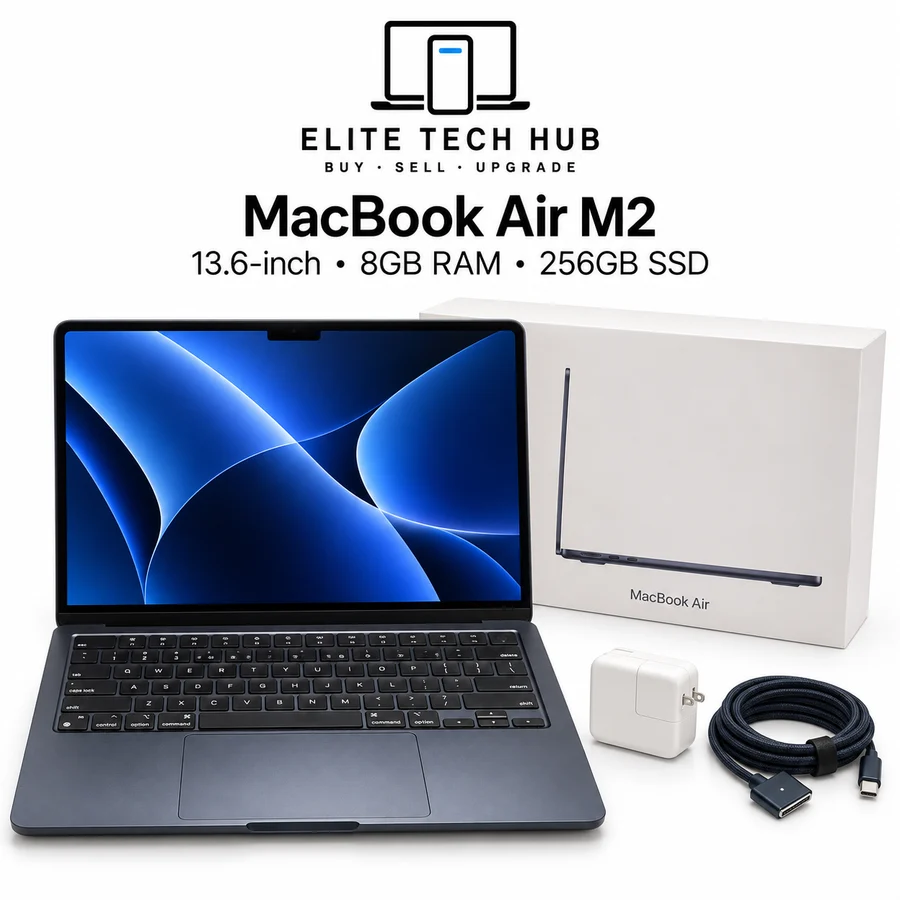
- Apple MacBook Air M2 13.6″ – 8GB RAM, 256GB SSD, Midnight – With Box & Charger$750Processor: M2Memory: 8GBStorage: 256GB SSD
- Dell Inspiron 15 3530 Core i7-1355U Iris Xe 16GB 512GB SSD 15.6" 60Hz$645Processor: Core i7-1355UGraphics: Intel Iris XeMemory: 16GB DDR4Storage: 500GB NVMe SSD
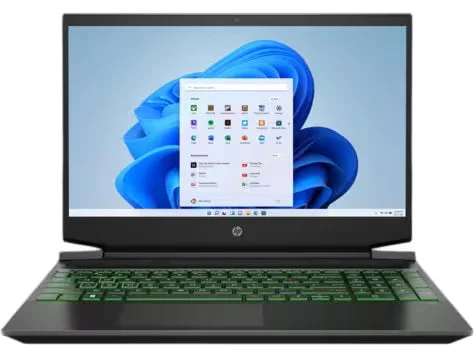
- HP Pavilion Gaming 15 Ryzen 5 5600H GTX 1650 8GB 512GB SSD 15.6" 60Hz$495Processor: Ryzen 5 5600HGraphics: GTX 1650Memory: 8GB DDR4Storage: 512GB NVMe SSD
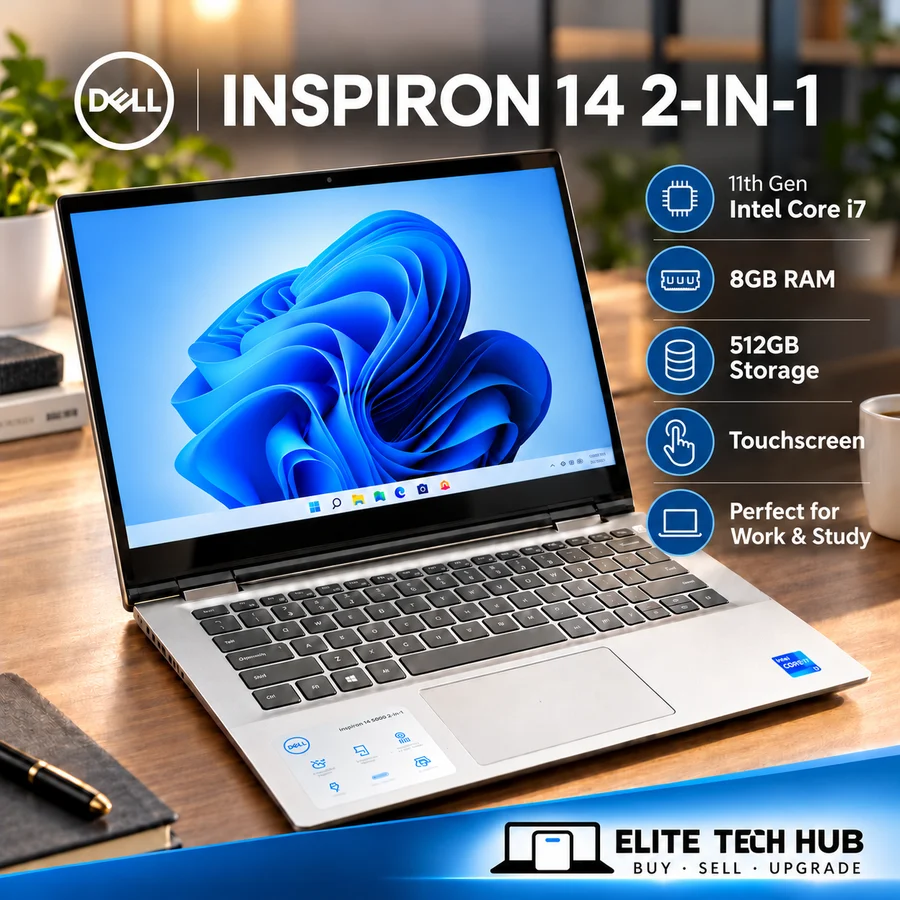
- Dell Inspiron 14 5406 2-in-1 Touchscreen Laptop | Intel Core i7 | 8GB RAM | 512GB Storage$350Processor: Core i7Memory: 8GBStorage: 512GB
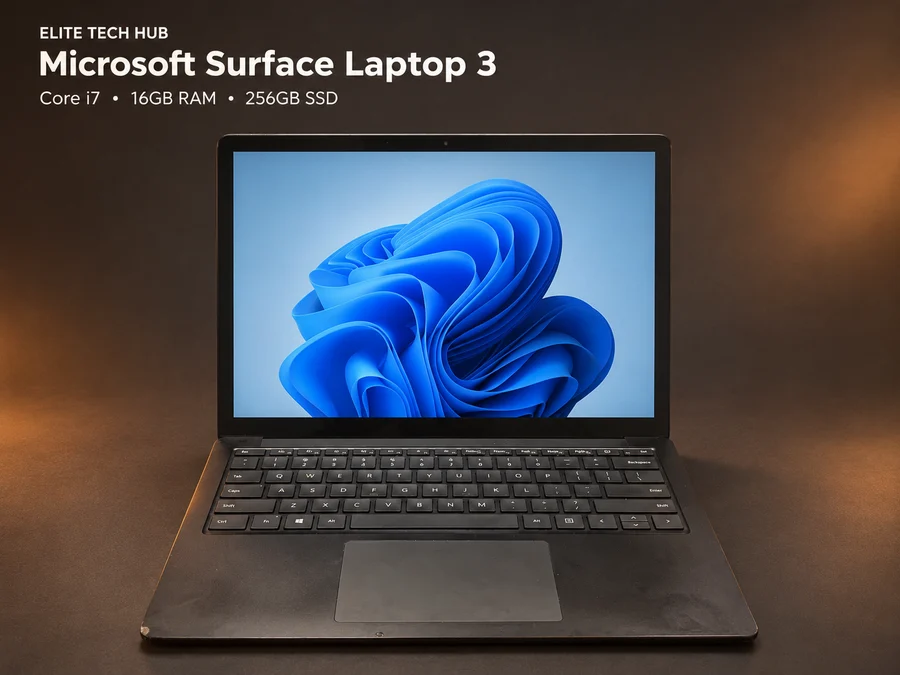
- Microsoft Surface Laptop 3 – 13.5″ Touchscreen | Core i7 | 16GB RAM | 256GB SSD | Matte Black$325Processor: Core i7Memory: 16GBStorage: 256GB SSD
Buying guide
What $800 gets you
On the processor side, this budget typically brings an Apple M2, a Core i7-1355U, a Ryzen 5 5600H or even a Core i9-11900H. The i7-1355U and the M2 are efficiency-minded chips, usually found in slimmer laptops that suit browsing, documents, video calls and light editing. The Ryzen 5 5600H and the i9-11900H are higher-power chips that usually sit in thicker laptops, often alongside dedicated graphics.
For graphics, you'll usually see a GTX 1650 or an RTX 3060 class chip on the gaming and creator side. The RTX 3060 is the more capable of the two and is typically suited to modern games at sensible settings and to GPU-assisted video work. The GTX 1650 is more of an entry-level gaming chip, fine for esports titles and lighter creative work. Memory is typically 8GB or 16GB, and storage runs from a 256GB SSD up to a 1TB SSD.
Spending a bit less usually means dropping to 8GB of RAM, a smaller SSD or integrated graphics only. Spending a bit more usually buys a newer-generation processor, a bigger SSD or a stronger graphics chip. We'd take 16GB of RAM over a slightly faster chip at this budget, because memory is the thing you notice every day and it's harder to fix later.
Specs to aim for under $800
- ProcessorRyzen 5 5600H, Core i7-1355U or Apple M2
- These cover everyday work comfortably, and the H-series chip is the one to pick if you want to game or edit video.
- GraphicsRTX 3060 for gaming, integrated for everything else
- Dedicated graphics adds weight and cost, so only pay for it if you'll use it; the GTX 1650 is fine for lighter games.
- Memory16GB RAM
- Browser tabs, video calls and a few apps open together get tight on 8GB, and that's the spec we'd least want to compromise on.
- Storage512GB SSD or larger
- A 256GB SSD fills quickly once you add games or big project files, while 1TB gives you room to breathe.
- ScreenFourteen to sixteen inches, full HD or better
- A fourteen-inch screen is easier to carry to class, while a fifteen or sixteen-inch panel is more comfortable for long sessions at a desk.
- BatteryAsk about battery condition on the exact unit
- Used batteries vary, and efficient chips like the M2 and i7-1355U usually last longer away from the charger than gaming hardware.
Who this budget suits
University and college students
Pick an Apple M2 or Core i7-1355U laptop with 16GB of RAM if you can. They're usually lighter and easier on the battery for lectures, essays and research.
Casual and esports gamers
Look for an RTX 3060 or GTX 1650 paired with a Ryzen 5 5600H and at least 16GB of RAM. The RTX 3060 gives you more headroom for newer titles.
Remote and office workers
Choose an efficient processor, 16GB of RAM and a 512GB SSD. You don't need a dedicated graphics chip for spreadsheets, calls and a pile of browser tabs.
Video and photo editors on a budget
A Core i9-11900H or Ryzen 5 5600H with an RTX 3060 and 16GB of RAM is the combination to look for. Pick the larger SSD, since project files add up fast.
How to choose between two similar listings
When two listings look similar, compare memory and storage first, then the processor. A laptop with 16GB of RAM and a 512GB SSD usually serves you better than one with a slightly stronger chip but 8GB and a 256GB drive. Check the table on this page to line them up side by side.
Then think about where you'll use it. If it travels in a backpack daily, go for the slimmer machine with the efficient chip. If it lives on a desk, the heavier gaming-class laptop makes more sense, and you won't mind the charger. If a detail on the listing matters to you, ask us for photos or a video of the exact unit before it ships.
Before you pay
- Confirm the RAM is 16GB, or that 8GB is enough for how you work.
- Check the SSD size against the files and games you plan to keep.
- Look at the full model name, not just the chip family.
- Ask for photos or a video of the exact unit.
- Ask about battery condition if you'll often work unplugged.
- Check the charger and ports match what you need.
- Add delivery and GST or HST at checkout before you decide.
Watch out for
- Paying for graphics you won't use. If you only do office work, skip the dedicated chip and put the money toward RAM and storage.
- Buying 8GB of RAM without thinking. It works for light use, but it's the first thing you'll want to upgrade.
- Judging by processor name alone. Check the exact model, because chips with similar names can differ a lot in power.
- Ignoring battery condition on a used laptop. Ask about it before you buy, especially if you'll work away from a desk.
- Forgetting delivery costs. Faster shipping services cost extra, so check the total at checkout.
Compare budgets
How many laptops each budget reaches today.
- Under $8005in stock, from $325
- Under $1,50015in stock, from $325
- Under $2,00023in stock, from $325
Buying from Elite Tech Hub
Elite Tech Hub is based in Edmonton, Alberta, and every item we sell is pre-owned. Before you pay, you can ask for photos or a video of the exact unit, so you see the laptop you're getting. Orders ship with Canada Post to every province and territory, and the delivery charge at checkout covers Regular Parcel, while faster services cost extra and delivery times are estimates. GST or HST is calculated at checkout from your delivery address. If you're near Edmonton, pickup is possible when arranged in advance, though there are no walk-in hours.
Laptops Under $800: your questions
What kind of laptop can I get for $800 in Canada?
Used, you can usually find a Ryzen 5 5600H, Core i7 or Apple M2 laptop with 16GB of RAM and a 512GB SSD. Some listings also have a GTX 1650 or RTX 3060 for gaming.
Is a used laptop under $800 worth it?
For most people, yes. A used laptop at this budget usually has better hardware than a new one at the same price, as long as you check the battery and ask for photos or a video of the exact unit.
Can I game on a laptop under $800?
Yes, typically. An RTX 3060 class laptop is suited to modern games at sensible settings, while a GTX 1650 is better for lighter and older titles. Pair either with 16GB of RAM.
Is 8GB of RAM enough?
For browsing, documents and video calls, it usually works. If you multitask a lot, game or edit, 16GB is the better choice at this budget.
Which is better for students: Apple M2 or Core i7-1355U?
Both are efficient and suit class work well. The M2 is a good pick if you like macOS, and the i7-1355U suits you better if you need Windows software.
Do you ship laptops across Canada?
Yes. We ship from Edmonton, Alberta, with Canada Post to every province and territory. Delivery times are estimates, and faster services cost extra.
Can I pick up a laptop in Edmonton?
Yes, when it's arranged in advance. We don't have walk-in hours, so contact us first.
Are taxes included in the price?
No. GST or HST is calculated at checkout from your delivery address, so you'll see the full total before you pay.